
FolderIQ
Local-First Drive Intelligence. Fast, offline file indexing, instant Spotlight-like quick search (Ctrl+Q), tag bookmarks, multi-sheet Excel export, and interactive disk insights for Windows 10 & 11.

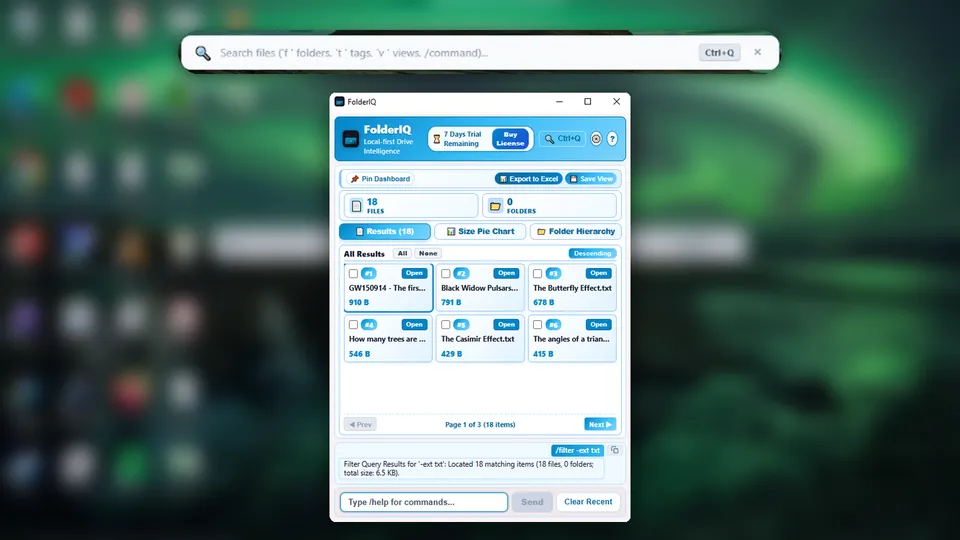
Engineered for Speed & Total Privacy
Zero cloud dependencies. Your filesystem metadata stays strictly on your local device.
Spotlight-like Quick Search
Summon the global Spotlight-like quick search omnibar anywhere using Ctrl+Q with 3D depth styling and instant prefix filters (f folders, t tags, v views).
100% Offline File Indexing
Local file metadata is processed completely on-device into a high-performance SQLite database with WAL mode and isolated environment sandboxing.
Multi-Sheet Excel Export
Export query and scan results into structured 3-sheet .xlsx workbooks with summaries, metadata, and embedded native OOXML pie charts.
Tags & Bookmarks
Tag files directly, manage tags with one-click inline deletion, pin saved views, and search within pinned subsets seamlessly.
Interactive Visual Dashboard
Real-time disk metrics, adaptive SVG pie chart distribution, hierarchical directory tree accordions, and paginated file cards.
System Tray & Autostart
Runs silently in the background with native Windows system tray integration, autostart on system boot, and instant wake-up.
Intuitive Omnibar Commands
Control your filesystem indexing and queries directly via terminal-style commands.
| Command | Example | Description |
|---|---|---|
/scan | /scan | Opens folder picker to select and index a directory with live BFS progress reporting. |
/scan -rescan | /scan -rescan | Rescans an indexed directory, updates timestamps, and reports change status. |
/list | /list | Displays all indexed root directories with file/folder counts, cumulative sizes, and cleanup options. |
/filter | /filter -ext tsx | Filters files by extension, name, directory path, or tag (e.g. /filter -tag work). |
/cleardb | /cleardb | Purges all indexed records and tables from the local database cleanly. |
/help | /help | Displays full command syntax and available scope flags. |
Technical Specifications
Built with modern desktop and systems engineering standards.
Supercharge Your File Workflow Today
Available on the Microsoft Store with a full-featured 7-day trial. Zero setup, 100% private.
Install from Microsoft Store